Product visuals
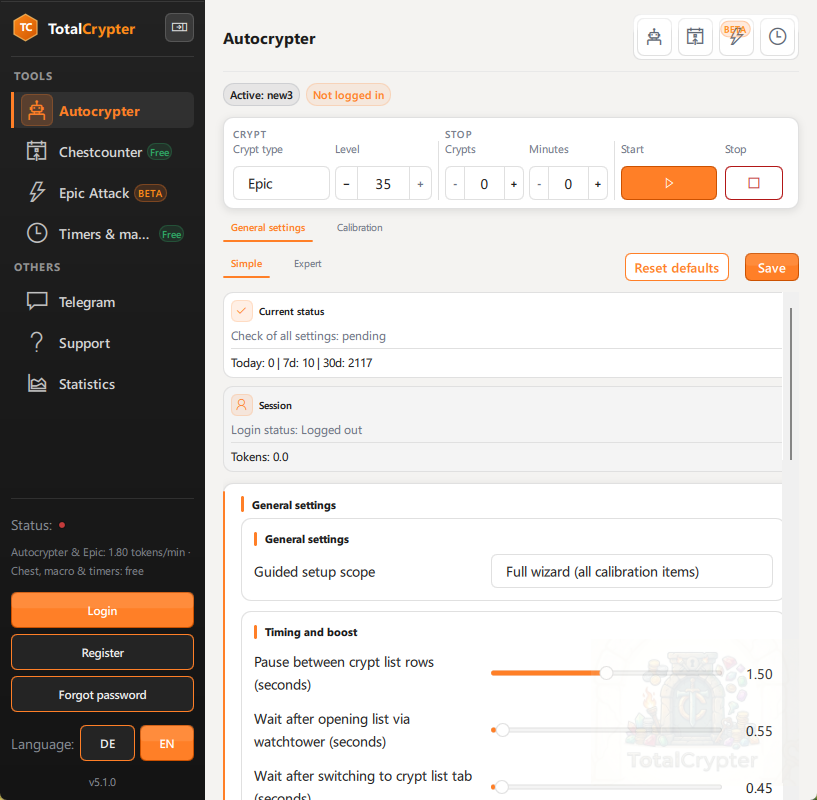
The 5.1.8 workspace at a glance — Autocrypter control row, grouped sidebar, and mini tool windows. Your pixels follow your calibration and game theme.
Official Windows builds
Windows 10 or 11 (64-bit). Take the official build, calibrate once, validate, run. Tesseract OCR is bundled — no dependency scavenger hunt before your first serious session.
Version 5.1.8Release notes
New to TotalCrypter? Skim the setup guide (English, PDF) or Ersteinrichtung (Deutsch, PDF) before your first Total Battle session.
The 5.1.8 workspace at a glance — Autocrypter control row, grouped sidebar, and mini tool windows. Your pixels follow your calibration and game theme.
Start menu shortcuts, clean uninstall entry, and EULA acceptance during setup — best for a fixed gaming PC.
Download installerUnpack anywhere and run TotalCrypter.exe. Ideal for USB sticks, secondary drives, or restricted installs — you manage updates by replacing the folder.
Game rules: Automating Total Battle may conflict with the publisher’s terms of service. You are responsible for how you use the software — including possible warnings, suspensions, or bans. Read our automation & rules guide and the EULA before enabling long-running bots.
Binaries are identical between formats. The same EULA and Privacy Policy apply.
Verify files after download — especially if you mirror copies across machines:
Get-FileHash -Algorithm SHA256 .\TotalCrypter_5.1.8_Setup.exe
Get-FileHash -Algorithm SHA256 .\TotalCrypter_5.1.8_Windows_x64_portable.zip
TotalCrypter_5.1.8_Setup.execd463cefbaa47e13da632c2a688233d29e4311975abad5782250ba72aec07669TotalCrypter_5.1.8_Windows_x64_portable.zip201ba1f359839bad048647cee7d48175c04f31f8733221785d24e7421ab89b60Install or unpack, run the setup assistant, validate with system check — then start AutoCrypting with full token visibility.
Get started